
Short answer
Go to Settings → Business Settings → GST Registrations and add your GSTIN. Then open Business → Branches and link that registration to each branch in the same state. Branches without a linked registration bill without GST.
Steps
-
Open GST Registrations
Open Settings from the menu, tap Business Settings, then GST Registrations on the left.
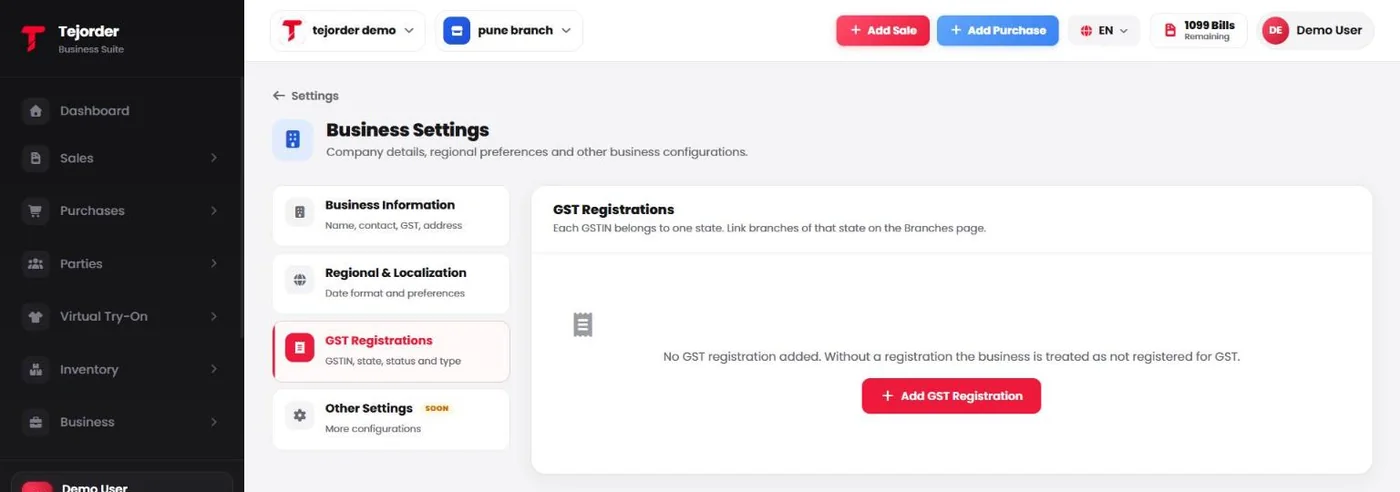
Settings → Business Settings → GST Registrations - Tap Add GST Registration Enter your GSTIN and its details, and save. Each GSTIN belongs to one state — add one registration for each state you have a GSTIN in.
-
Link the registration to your branch
Open Business → Branches. The GST column shows each branch's registration. Use the ⋮ menu next to a branch to edit it and link the GST registration of its state.
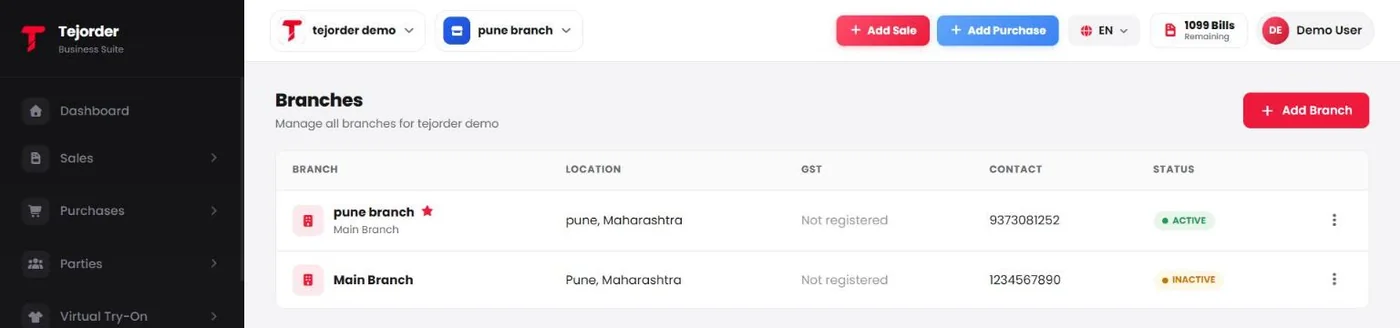
Business → Branches — GST shows Not registered until a registration is linked.
What happens without GST?
- Without a registration, the business is treated as not registered for GST, and its bills are made without GST.
- A Composition dealer cannot collect GST from customers under GST rules, so TejOrder does not add GST on those bills.
- Your plan works the same either way — every plan includes GST and non-GST invoices.
TejOrder helps you make correct bills, but it is not tax advice. Check your GST type and filing with your CA.