
Short answer
One bill is used each time you post a sales invoice. Drafts are free. Every plan includes all features — plans differ only in how many bills you get. There is no monthly fee; paid plans are yearly.
See how many bills you have left
The bills you have left are always shown in the top bar of the app.

Open Plans & Billing
-
Open Plans & Billing from the menu
The Overview tab shows your current plan, how many bills are left, and a short How bills work box.
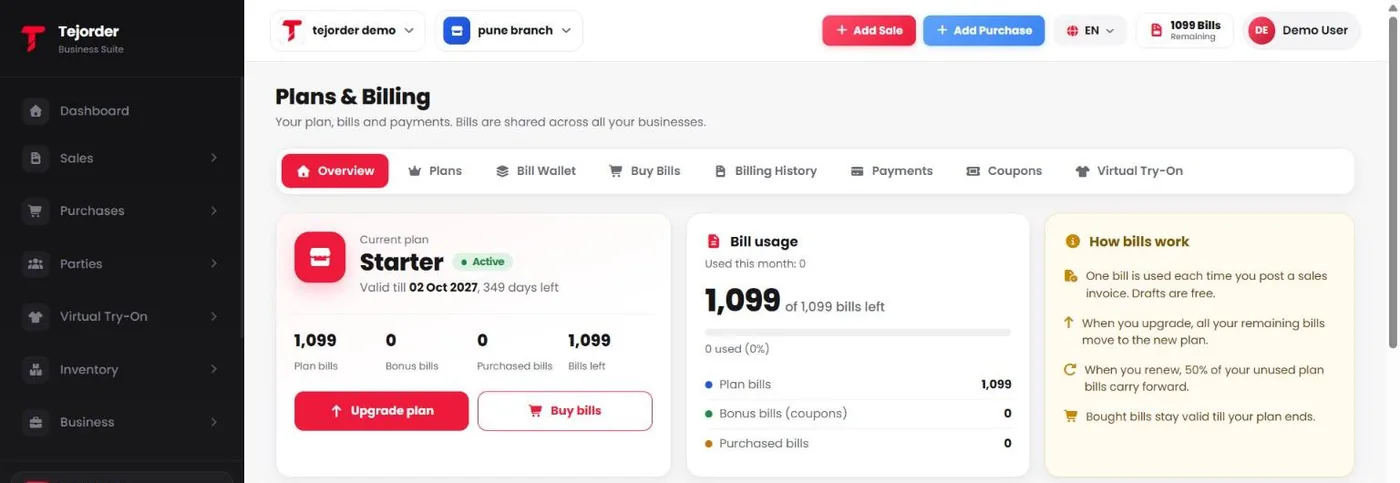
Plans & Billing → Overview -
Compare plans in the Plans tab
Pick the plan that fits how many invoices you make in a year, and tap Upgrade or Renew.
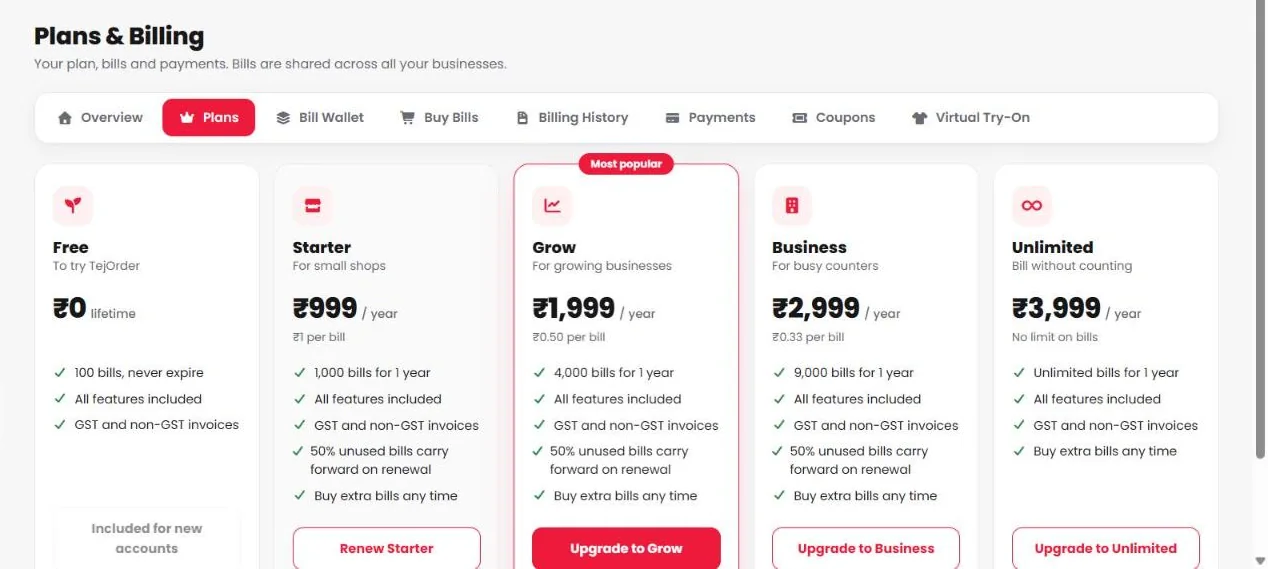
Plans tab — all plans include all features. -
Need more bills? Use Buy Bills
Extra bills cost ₹1 each, with a minimum of 100. Pick a pack or type the number, then pay securely by UPI, card, net banking or wallet.
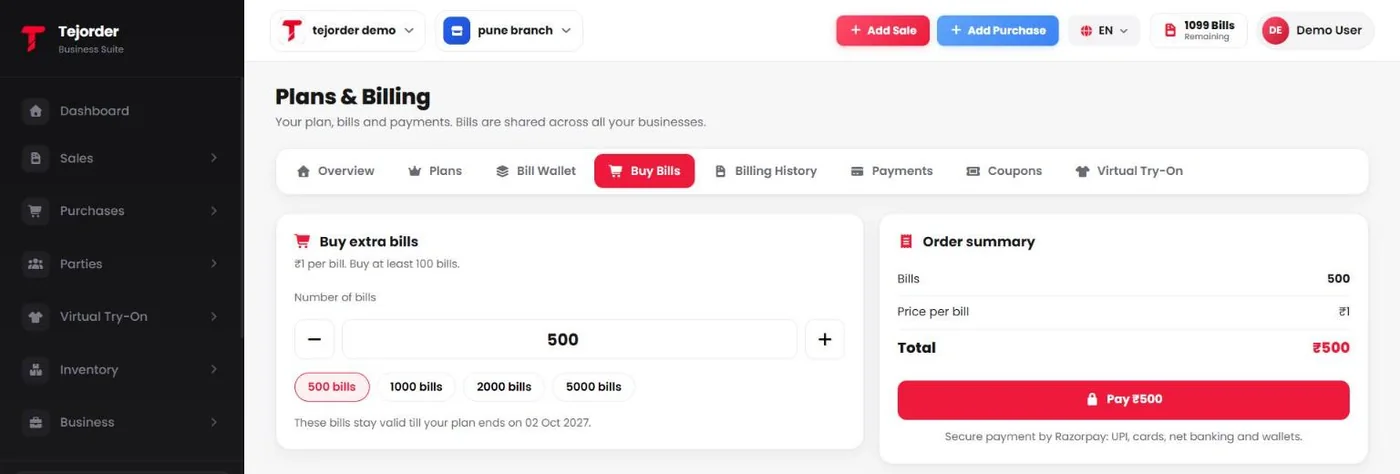
Plans & Billing → Buy Bills
Good to know
- Bills are shared across all your businesses.
- When you upgrade, all your remaining bills move to the new plan.
- When you renew, 50% of your unused plan bills carry forward.
- Bought bills stay valid till your plan ends.
- Virtual Try-On credits are separate from bills and have their own plans.