
Short answer
Go to Purchases → Purchase Bill and tap Add Purchase. Pick the supplier, type the Supplier Bill No., add the items with quantity and purchase price, enter any payment you made, and tap Save Bill (F10). The stock goes up and the supplier's balance is updated.
Steps
-
Open Purchase Bill
Open Purchases → Purchase Bill. You see all bills with paid, partly paid and unpaid totals. Tap Add Purchase (or Add Purchase in the top bar).
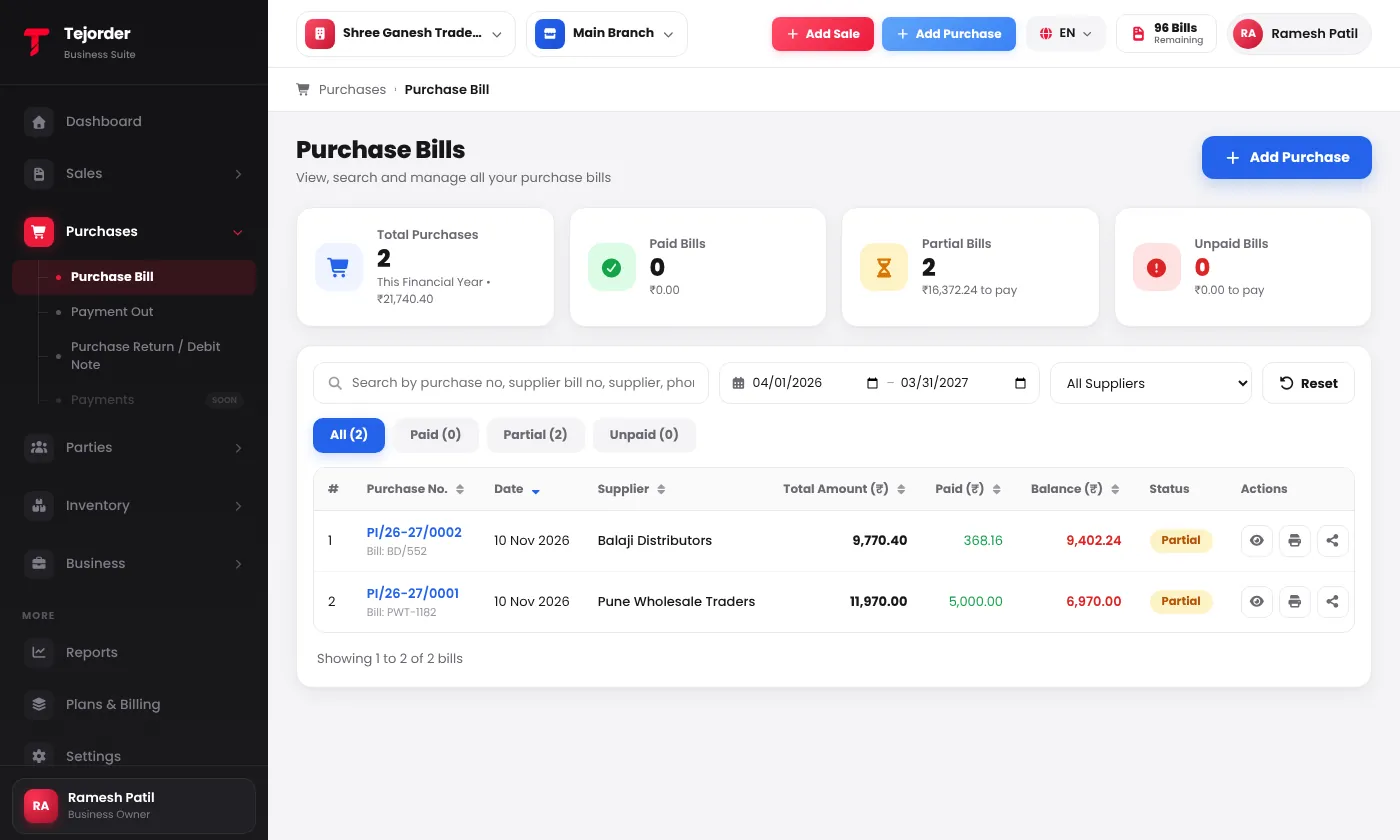
Purchases → Purchase Bill — every bill with its supplier bill number, paid amount and balance. - Pick the supplier and type their bill number Search the supplier by name — their phone, address and balance fill in. Supplier Bill No. is required: type the number printed on the supplier's bill. Purchase No. and date are filled for you.
-
Add the items
Search each item by name or code. The purchase price, unit, HSN and GST come from the item — change the quantity and price to match the supplier's bill. A new item can be added from the same search with Add Item.
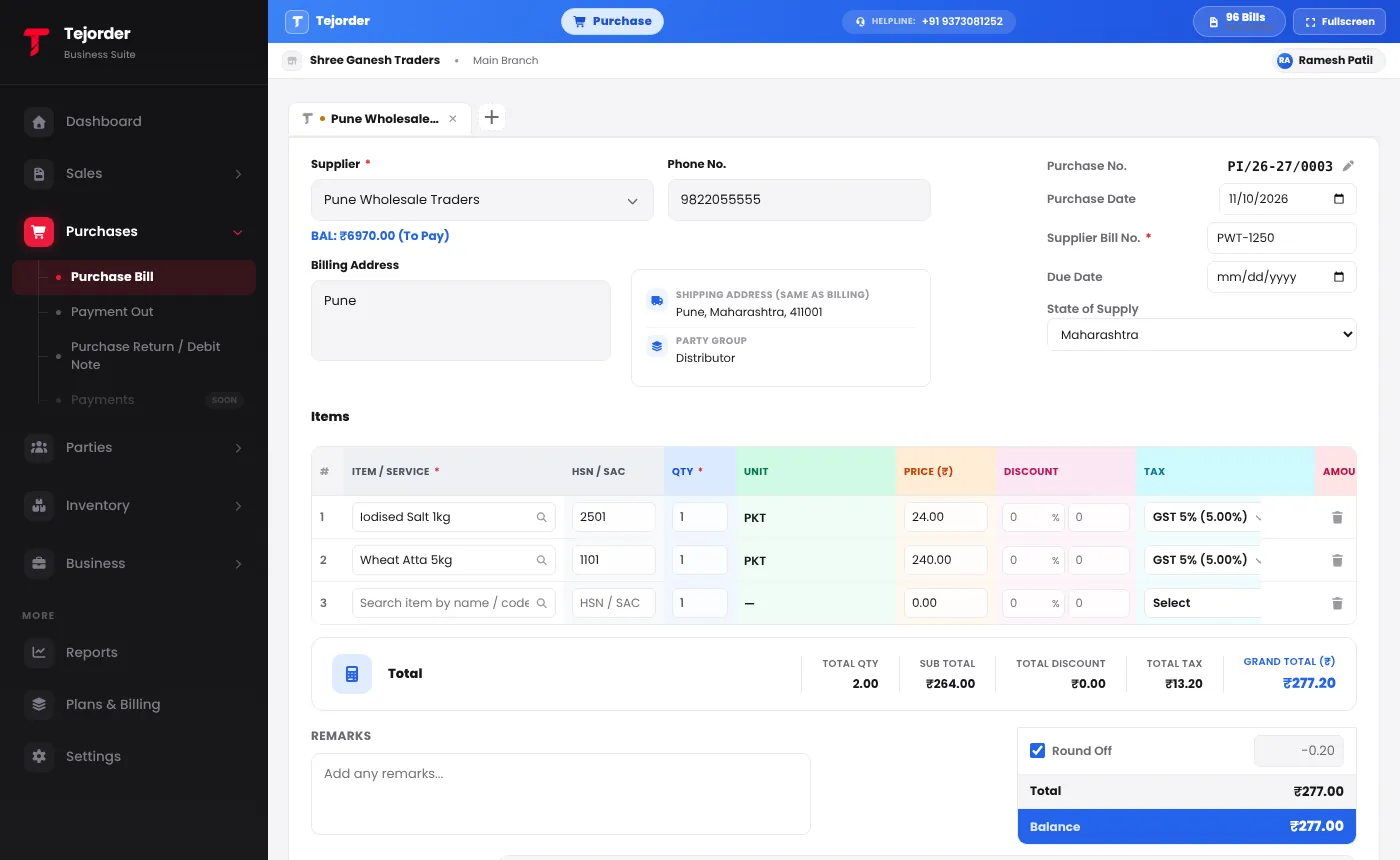
A purchase bill with the supplier, Supplier Bill No. and items filled in. - Enter any payment and save If you paid the supplier now, type it in the Payment section (Cash, cheque or your bank/UPI accounts). Leave it empty for a credit purchase. Tap Save Bill (F10).
Purchase bills do not use bills from your plan. Only posting a sales invoice uses a bill.
Common problems
It says Supplier Bill No. is required
Type the bill number from the supplier's paper bill. It helps you match the bill later and appears in the list under the purchase number.
I paid the supplier later
Record it in Purchases → Payment Out. It is matched against this bill and the balance goes down.