
Short answer
Go to Sales → Sales Return / Credit Note and tap New Return. Pick the customer and the invoice, type how many pieces came back, choose a reason and tap Save & Create (F10). TejOrder makes a Credit Note, adds the stock back and reduces what the customer owes. The original invoice is never changed.
Steps
-
Open Sales Return / Credit Note
From the menu, open Sales → Sales Return / Credit Note. You see all credit and debit notes, and how much was adjusted in invoices or refunded.
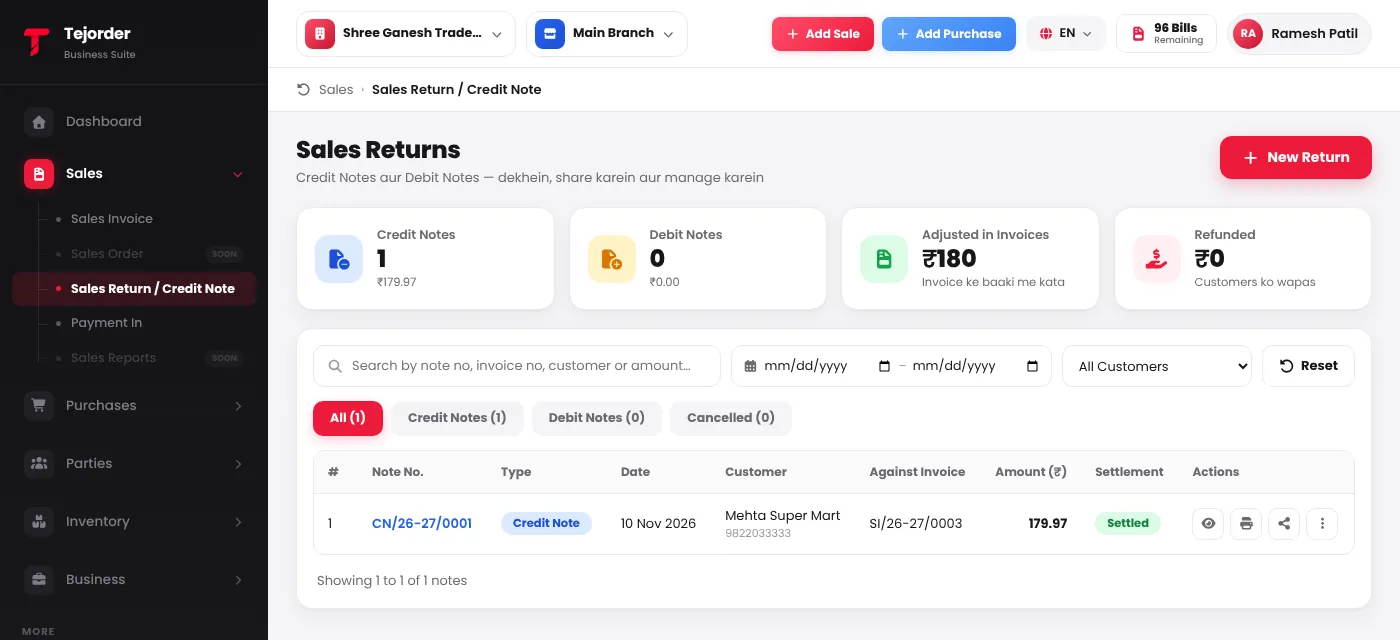
Sales → Sales Return / Credit Note — tap New Return to start. - Pick the customer and the invoice Search the customer, then choose the invoice under Against Invoice. Its items load with the quantity and rate billed.
-
Type the return quantity
In Return Qty, type how many came back. You cannot return more than was sold — the maximum shows under the box. The totals update as you type.
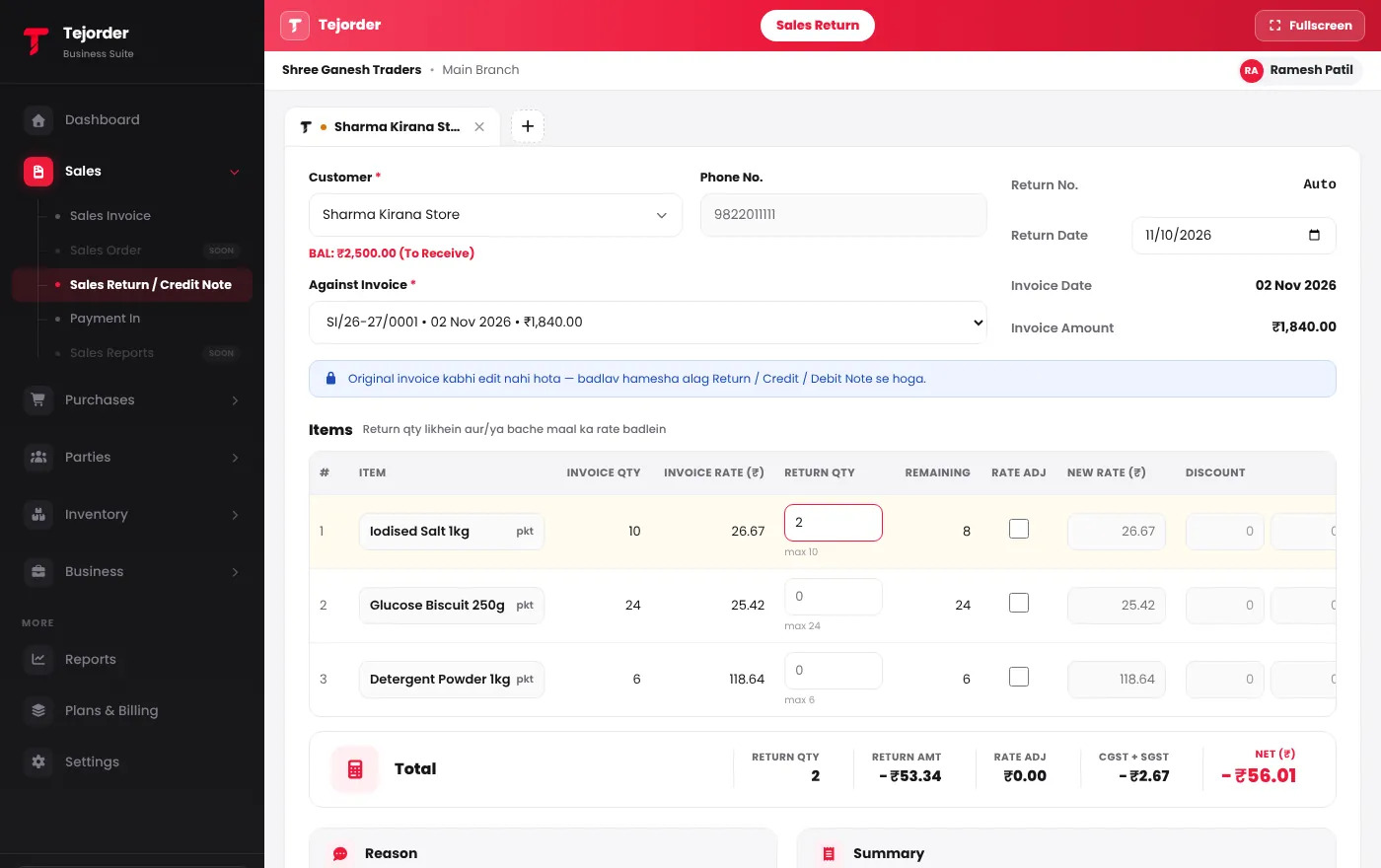
2 packets returned from invoice SI/26-27/0001 — the credit note total is worked out for you. - Choose a reason and save Pick a reason — Sales Return, Rate Correction, Damaged / Defective, Post-sale Discount or Other — add remarks if you like, and tap Save & Create (F10).
What happens to the money?
- The credit note first reduces the unpaid balance of that same invoice.
- If the customer had already paid, you can give money back right there under Refund to Customer — up to what they paid.
- Rate Adj changes the rate of the pieces the customer keeps. A lower rate makes a Credit Note; a higher rate makes a Debit Note.
Returns are always made against a posted invoice. To correct a mistake, make a return — the original invoice stays as it was.
Common problems
The invoice is not in the list
Only posted invoices of the branch selected at the top show here. Switch to the branch where the invoice was made.
Refund is not allowed
You can refund only what the customer has paid on that invoice. The rest is adjusted in the invoice's balance.