
Short answer
Open Reports from the menu and tap a report. Today you can use Sales Register, Sales by User, Purchase Register, Purchase by User and the Try-On Usage Register; reports marked Soon are coming. Inside a report, set the dates and filters, tap Apply, then Print or Export it.
Steps
-
Open Reports
Open Reports from the menu. Reports are grouped into Sales, Purchase, Inventory, Virtual Try-On, Receivables & Payables, Accounting and GST.
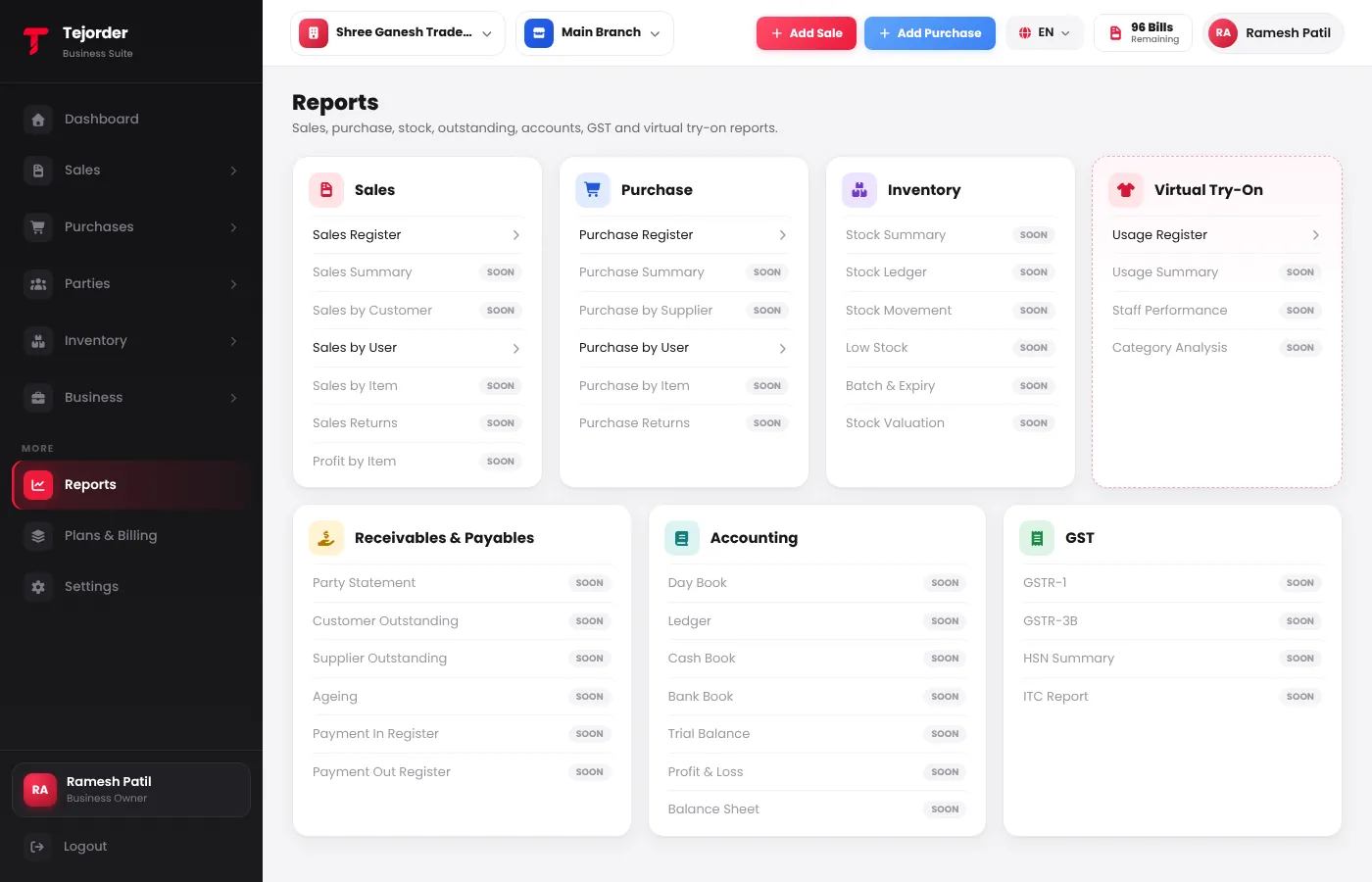
Reports — tap a report with an arrow to open it. -
Set the filters
Choose the Date (like This Month), and filter by customer, payment status or the user who billed. Tap More filters for more, then Apply.
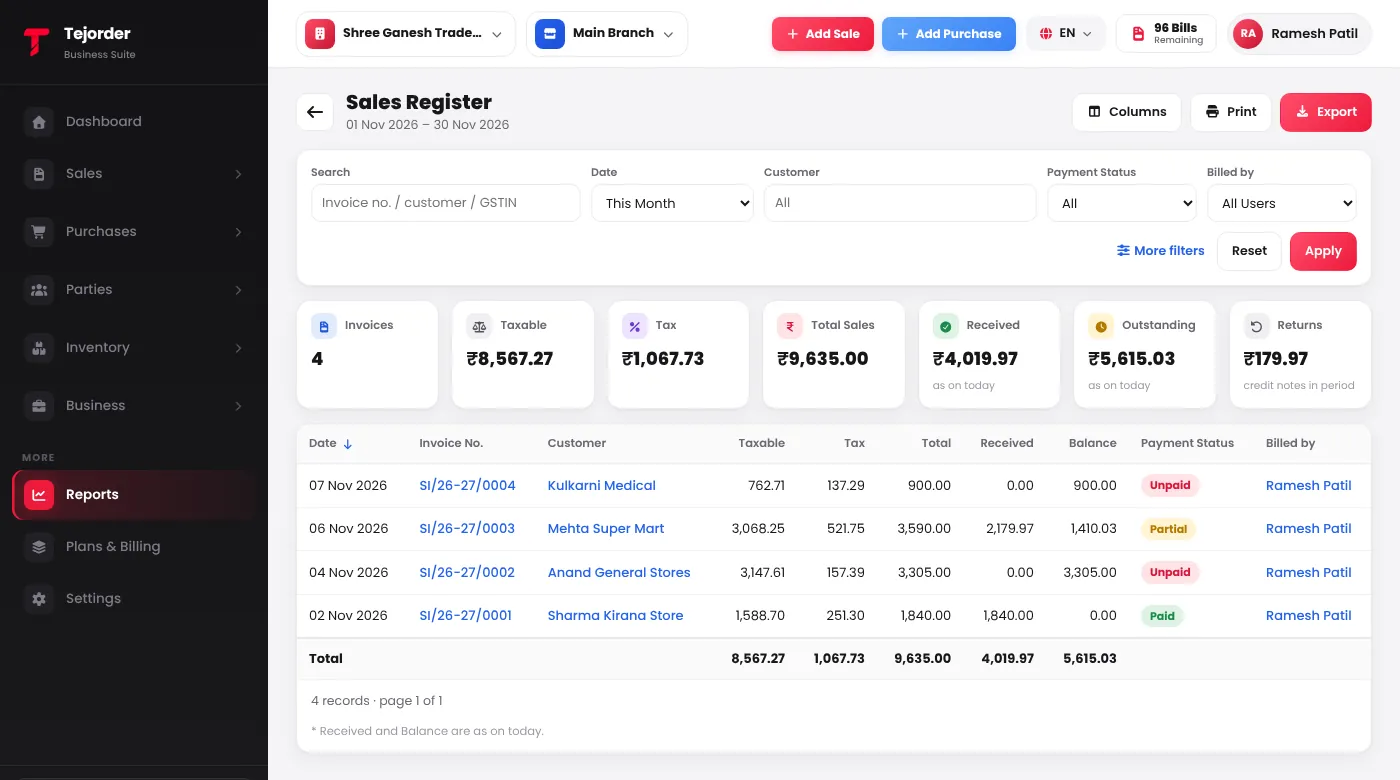
Sales Register — totals at the top, every invoice below. - Print or export Use Columns to show or hide columns, Print to print the report, and Export to download it as Excel or CSV.
Staff see Export only if their role allows it. The owner can change this in Settings → Users & Permissions.