
Short answer
Go to Sales → Payment In and tap Add Payment In. Pick the customer, type the amount you received, and TejOrder fills it against their oldest unpaid invoices first. Anything extra is kept as the customer's advance. Tap Save Payment (F10) to get a receipt number.
Steps
-
Open Payment In
From the menu, open Sales → Payment In. You see all receipts of this financial year, with totals for this month, today and customer advance.
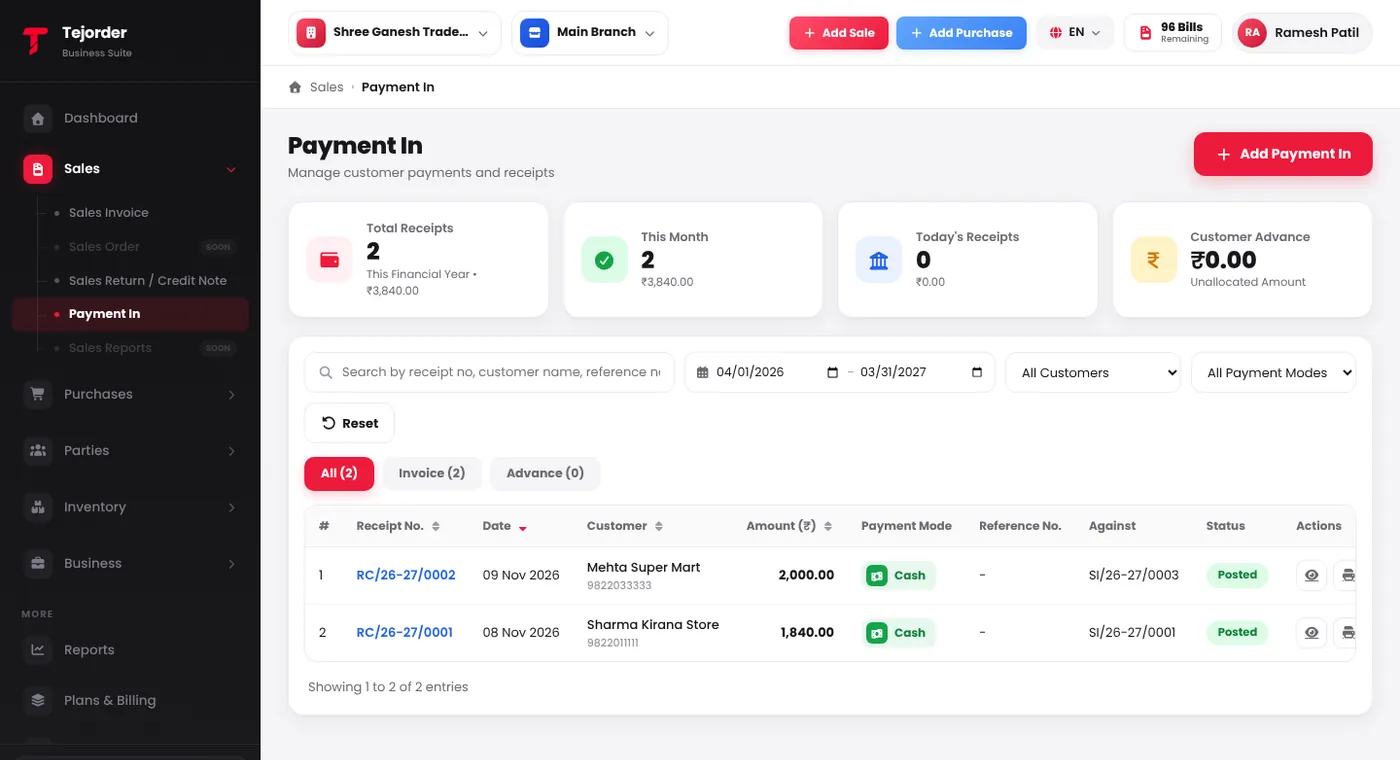
Sales → Payment In — every receipt with its customer, amount, mode and invoice. - Tap Add Payment In and pick the customer Search the customer by name. Their address, phone and the amount you have to receive (Lena hai) show next to it.
- Type the amount received In the Payment table, type the amount in the row of the way you received it — Cash, or a UPI or bank account you have added. Split one payment across rows if the customer paid part cash and part UPI.
-
Check the invoice allocation
TejOrder fills the amount into the oldest unpaid invoices first (Purane pehle). To pay a different invoice, untick it or change its Allocate Amount. An opening balance shows here too.
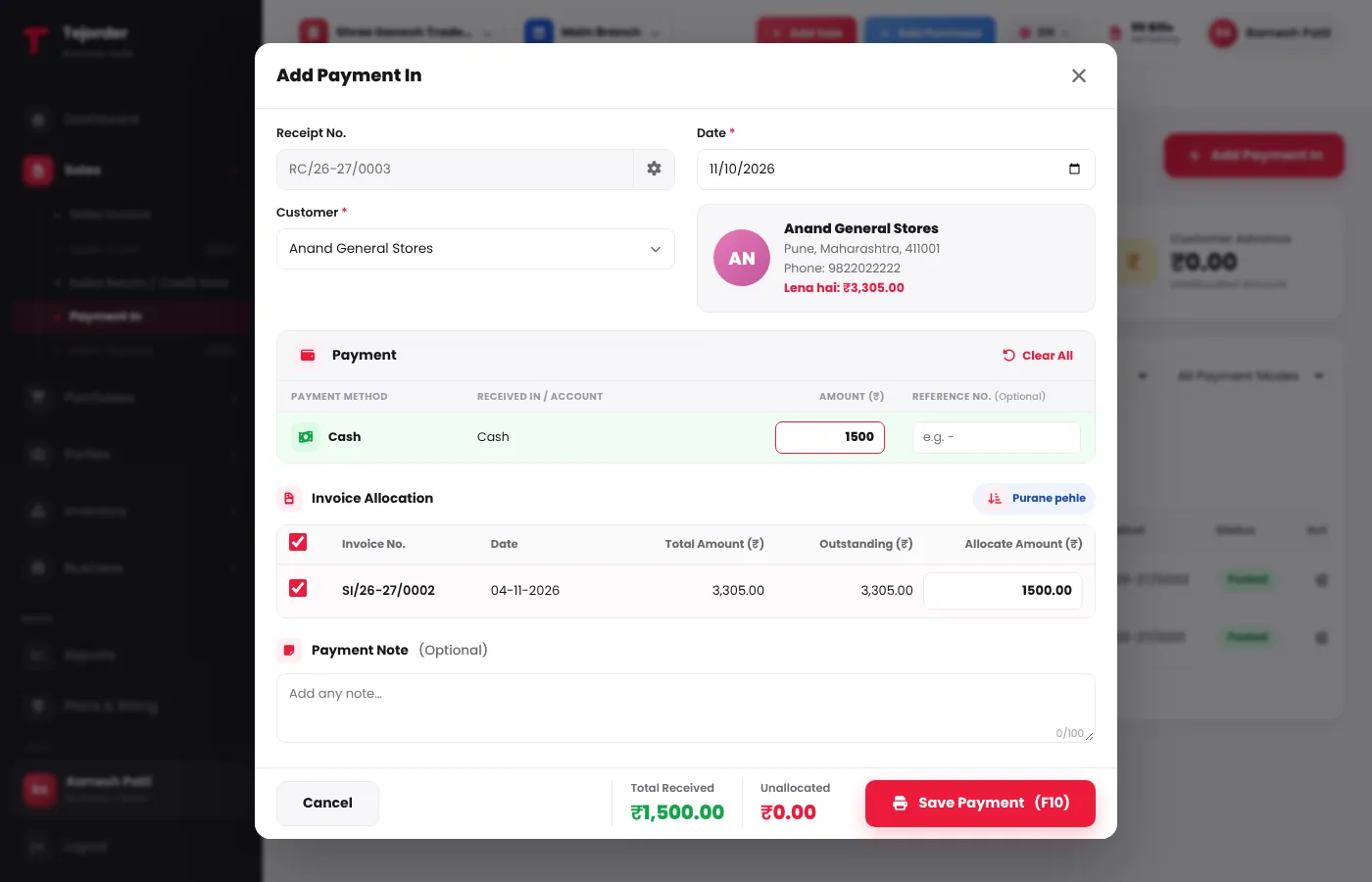
Add Payment In — ₹1,500 cash filled into the oldest unpaid invoice. - Save the payment Add a short note if you like, then tap Save Payment (F10). You get a receipt number (like RC/26-27/0001) that you can print or share from the list.
A payment does not use a bill from your plan. Only posting a sales invoice uses a bill.
Common problems
I don't see UPI or my bank account
Add them in Settings → Payment Settings. They then show as rows in the Payment table.
The customer paid more than the due amount
Save it anyway. The extra amount shows as Unallocated and is kept as the customer's advance. You can see the total in the Customer Advance card.
I can't find an old receipt
The list shows the current financial year. Change the dates at the top, or search by receipt number, customer name or reference number.