
Short answer
Categories group your items, like Grocery, Snacks or Household. Open Inventory → Categories and tap Add Category to make one. Then pick the category when you add or edit an item. You can rename a category or deactivate it if you no longer use it.
Steps
-
Open Categories
Open Inventory → Categories. You see each category with how many items are in it, and how many items have no category.
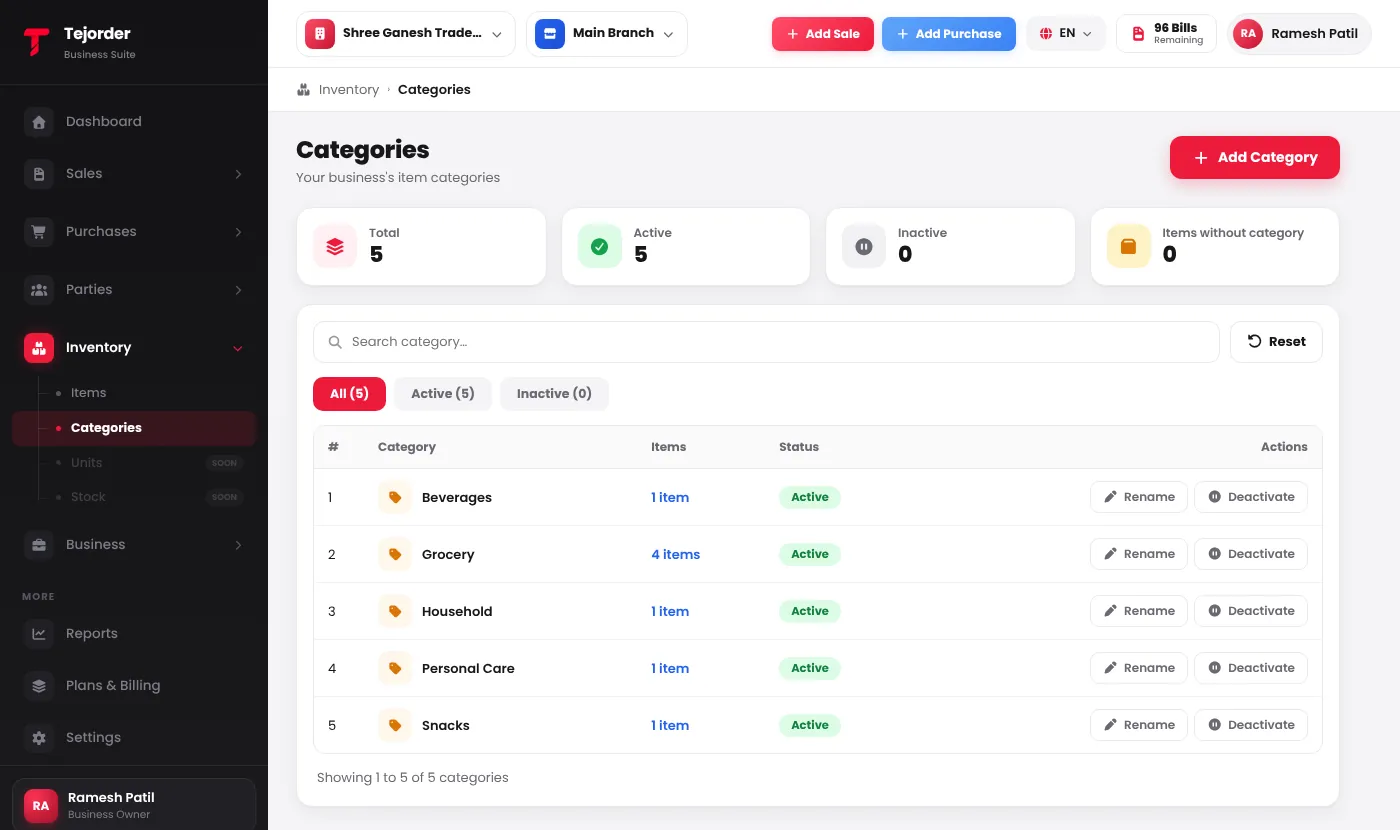
Inventory → Categories — tap the item count to see those items. - Add a category Tap Add Category, type the name and save.
- Rename or deactivate Use Rename to change the name — the items stay in it. Use Deactivate to hide a category you no longer use; you can activate it again from the Inactive tab.