
Short answer
Open Settings from the menu. Each card opens one group of settings — business details and GST, parties, invoices, items and stock, payment accounts, WhatsApp messages, extra features, users, printing and document numbering. Type in Search settings to find one quickly.
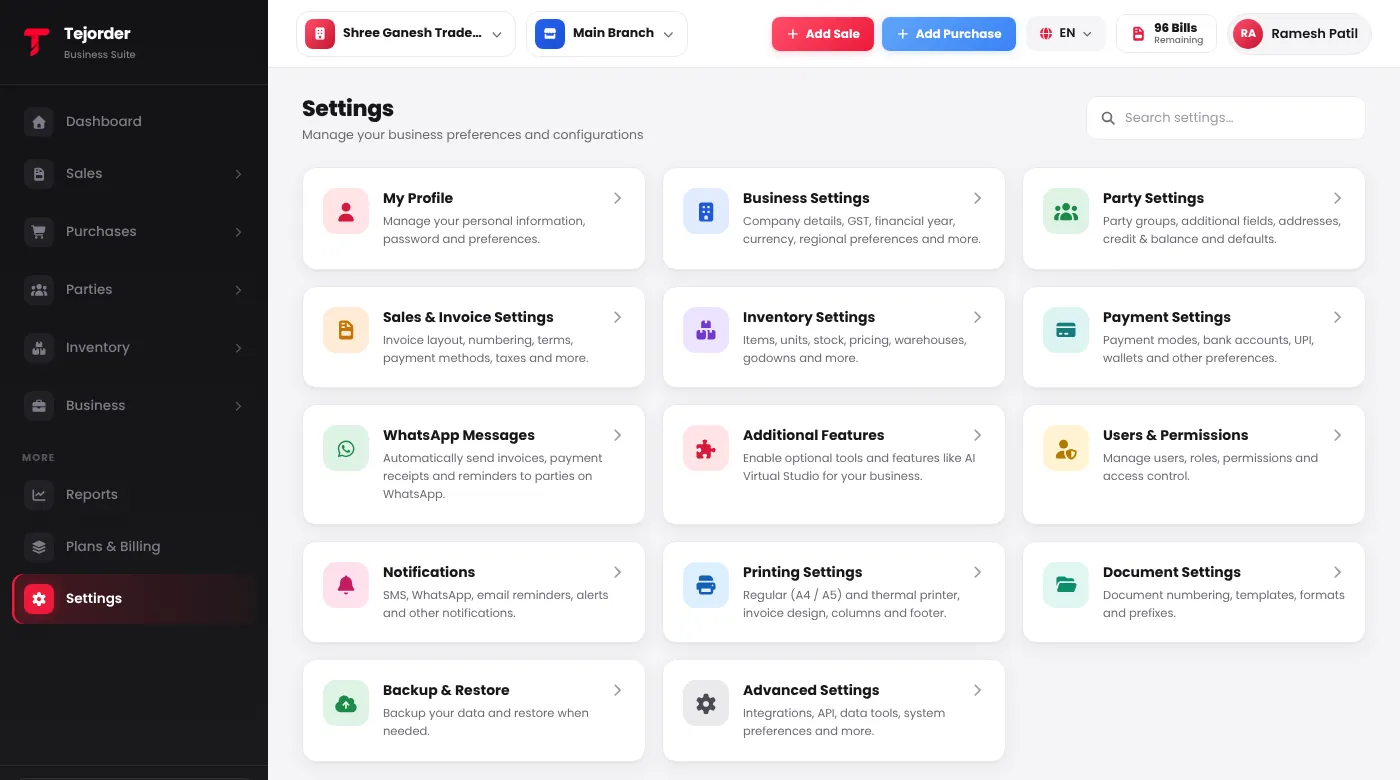
Which card does what
- Business Settings — company details, GST registrations, currency and regional settings.
- Party Settings — party groups, extra fields for parties, and defaults.
- Sales & Invoice Settings — invoice options and additional charges.
- Inventory Settings — item fields, pricing and batch / serial tracking.
- Payment Settings — your cash, bank and UPI accounts. Accounts added here show in Payment In, Payment Out and bills.
- WhatsApp Messages — automatic invoice, payment receipt and reminder messages.
- Additional Features — turn on AI Virtual Studio features for a branch.
- Users & Permissions — add staff and choose what each role can see and do.
- Printing Settings — A4 / A5 or thermal printer, invoice design, columns and footer.
- Document Settings — numbering and prefixes for invoices and other documents, and terms & conditions.
My Profile, Notifications, Backup & Restore and Advanced Settings are coming soon.